
DEHENTAI / Blog
DeHentai features: the webapp and Android app
A practical guide to DeHentai: find content, use the reader, save favorites and choose between the webapp and the Android APK.

DeHentai brings hentai and doujin reading, anime playback and a personal collection together in one app. You can open it in your browser or use the Android APK. This guide explains the available features and how to use them without getting lost between screens.
This guide is written by the DeHentai team about our own application. The service is exclusively for adults aged 18 and over. Screenshots show the English interface; the language of individual works depends on the available content.
At a glance: what you can do
| Feature | What it helps you do |
|---|---|
| Title and tag search | Find a particular work or explore the catalogue by topic |
| Horizontal and vertical reader | Choose your reading direction and move between pages |
| Anime detail pages | Check information and access playback |
| Favorites | Keep your selections together in your account |
| Ratings and comments | Read community opinions and take part |
| Ad-free access | Activate an ad-free period linked to your account |
Find hentai and doujins by title or tags
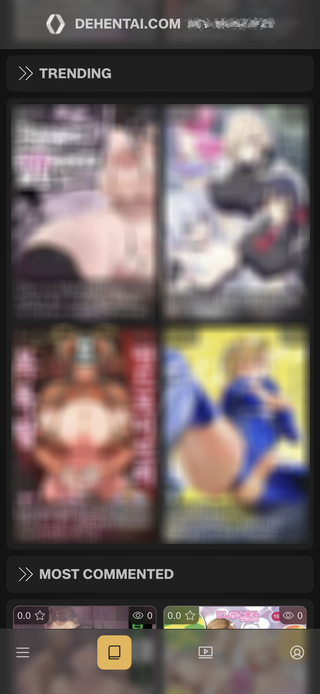
If you already know what you want to read, searching by title is the most direct route. To discover something new, combine tags to narrow the catalogue. Lists of new releases and trending works provide another starting point without entering a search.
Before opening the reader, each work’s detail page brings together information, tags, ratings and comments. It also includes similar titles, so you can continue exploring from a work that interests you. Visit the hentai and doujin pages for an overview of these options.
A reader that fits the way you read
The reader lets you switch between horizontal and vertical navigation. It also includes zoom and a page control for moving to a specific part of a work.
For example, choose the direction that feels most comfortable on your phone and use the page control to navigate a longer doujin. Your reading direction is saved in the browser you use. Favorites are linked to your account; this reading setting is a local preference.
Anime information and playback
DeHentai also has an anime section. Search by title or tags, open a detail page and check its information before playing the content. Ratings, comments and similar-title recommendations can help guide your next search.
The anime page introduces this part of the app. Playback requires an Internet connection and depends on content availability and device and browser compatibility.
Favorites and community features in your account
A free account lets you save favorites and take part through ratings, likes and comments. Your selections are linked to your profile, so you can return to them when you sign in with the same account on another device.
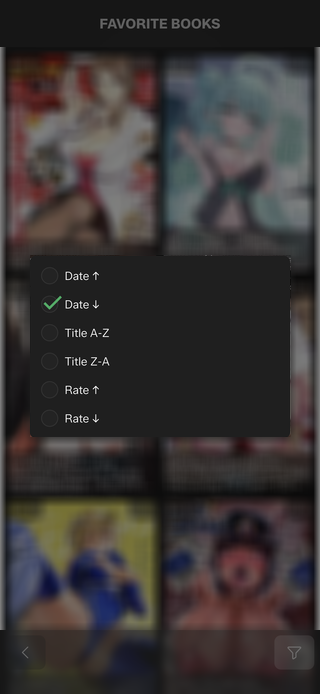
The favorites list can be sorted by date, title or rating. This helps organize a growing collection without relying on bookmarks saved in a particular browser. Favorites save references in your account; they do not download works for offline reading.
Webapp or Android APK: how to access DeHentai
The webapp opens directly in your browser without installing an APK. Use it on iPhone, iPad, computers and other devices with a compatible browser. The Android APK provides an installable application from DeHentai’s official source.
If you prefer Android, check the APK download page for the current version and requirements. To start in your browser, open the DeHentai webapp. In either case, sign in with the same account to access your favorites.
Free access and the ad-free option
The APK download and basic access are free. The app also offers ad-free periods linked to your account. Check the available options on the ad-free access page and review the price and duration before paying.
To get started, open the app, explore a title and try your preferred reading direction. Then create an account if you want to keep your selections in favorites. Find more answers about using the app in the DeHentai FAQ.